
Source checked July 30, 2026 · Palworld 1.0
Palworld Save Editor Guide: 4 Tools, Backups and Safe Edits
A Palworld save editor can repair ownership, move characters, inspect world data or change Pal records, but every edit touches files that may represent hundreds of hours. This guide compares current source releases and shows a backup-first workflow for Palworld 1.0 rather than sending you to an unverified upload.
For most players, Palworld Save Pal is the easiest cross-platform graphical editor. PalworldSaveTools is better for world transfers and repair-oriented operations, while Palworld Pal Editor focuses on individual Pal data. Always stop the game or server, copy the complete save directory outside the live folder, edit the copy, and keep the original until the edited world has survived a save, restart and reconnect test.
Version freshness check before choosing an editor
This is a download-intent game guide, so release freshness was checked before writing. On July 30, 2026, the official GitHub release feeds showed Palworld Save Pal v1.2.0 from July 19, PalworldSaveTools v2.2.7 from July 29, palworld-save-tools v0.24.0 from October 6, 2024, and Palworld Pal Editor 0.14.1 from December 23, 2025. The Windows assets linked below returned HTTP 206 range responses with file types and sizes matching GitHub release metadata.
The site already targets Palworld 1.0, so no game-version field required a global update. Tool releases do not guarantee compatibility with every future save schema, modded world or dedicated-server migration. The release page, issue tracker and your own disposable-copy test remain authoritative for the exact operation you plan to perform.
Which Palworld save editor should you use?
The phrase save editor covers several different jobs. A friendly desktop application, a conversion toolkit and a focused Pal editor should not be treated as interchangeable downloads. Choose the smallest tool that matches the change, and avoid editing fields you do not understand.
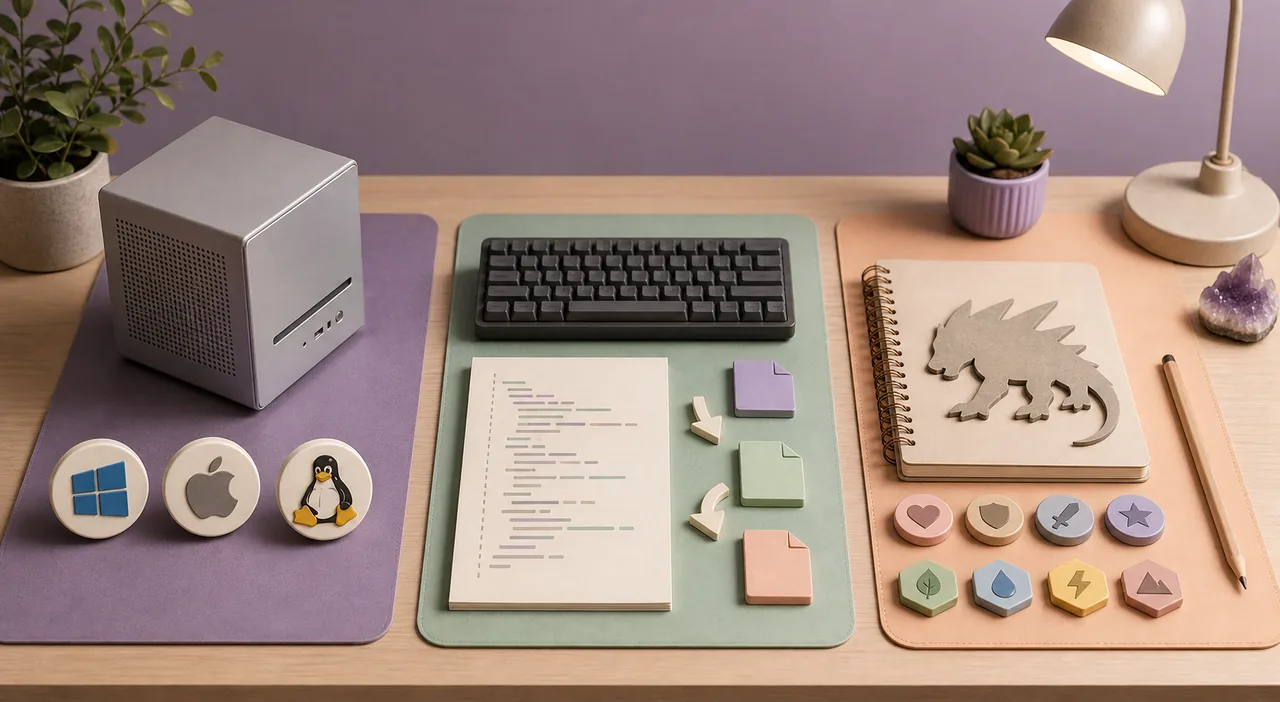
| Tool and best fit | Verified release | Platforms | Verified Windows file | Important limitation |
|---|---|---|---|---|
| Palworld Save Pal Graphical editing, inspection and common save tasks |
v1.2.0 July 19, 2026 |
Windows, macOS and Linux | Windows standalone ZIP 81,416,395 bytes (about 77.6 MiB) |
A broad editor can expose fields that are unsafe to change blindly; test a copy and read the project notes. |
| PalworldSaveTools World migration, repair utilities and advanced operations |
v2.2.7 July 29, 2026 |
Windows, macOS and Linux | PST standalone ZIP 74,408,535 bytes (about 71.0 MiB) |
Its wider repair and migration scope demands careful reading of each operation and a complete server backup. |
| palworld-save-tools Command-line conversion between binary .sav and JSON |
v0.24.0 October 6, 2024 |
Windows package; Python source workflow | Windows ZIP 45,294 bytes (about 44.2 KiB) |
This is a conversion toolkit, not a guided GUI. Editing generated JSON incorrectly can invalidate a save. |
| Palworld Pal Editor Focused editing of individual Pal attributes |
0.14.1 December 23, 2025 |
Windows and macOS | Windows EXE 64,166,078 bytes (about 61.2 MiB) |
Use it for the Pal data it supports, not as a general world-repair replacement. |
Palworld Save Pal v1.2.0
Official GitHub asset; range request returned 206 and application/zip. Use the MSI only if you prefer an installer.
PalworldSaveTools v2.2.7
Official GitHub standalone asset; range request returned 206 and application/zip.
palworld-save-tools v0.24.0
Official GitHub asset; range request returned 206 and application/zip. Its older date is shown rather than implying it is newly maintained.
Palworld Pal Editor 0.14.1
Official GitHub executable; range request returned 206 and application/x-msdos-program.
What a Palworld save editor can—and cannot—safely do
Save editors can inspect or transform world data that the game normally manages for you. Common uses include moving a player between hosts, repairing a character after a server transfer, converting a save to JSON for diagnosis, changing selected Pal attributes, or examining guild and ownership relationships. The safe tool depends on the operation: a Pal-focused editor is a poor choice for a damaged world migration, while a low-level converter provides no guardrails for a player who only wants to inspect one creature.
No editor can promise a harmless result for every modded or future save. Palworld updates may add fields, rename structures or change serialization. Mods can store their own assumptions in the world. A file that opens successfully may still contain a delayed problem that appears only after crafting, travel, a server restart or another player reconnects. Opening is therefore not the acceptance test; a repeatable gameplay and reload test is.
Treat values you do not recognize as read-only. Do not use a save editor as a substitute for normal in-game configuration, server settings or a mod's documented migration process. If a project issue tracker reports a problem matching your exact version and operation, pause instead of assuming another editor will safely rewrite the same data.
- Good fit: a documented ownership transfer, supported character migration, selected Pal edit or save inspection.
- High risk: bulk value changes, modded worlds, cross-version downgrades and edits made while the server is running.
- Not a recovery plan: editing the only copy of Level.sav or overwriting the complete backup after one successful launch.
Find the correct Palworld save before editing
On a typical Steam client, local worlds are stored below the user's Pal saved-games directory, followed by a long account identifier and a world identifier. Dedicated servers keep their world data under the server installation's Saved/SaveGames path. The exact drive and parent folder depend on where Steam, the dedicated server or a hosting provider installed the game. Use the newest modification time only as a clue; confirm the world by checking the complete folder and by making a fresh in-game save before shutdown.
A Palworld world is not just one file. Level.sav contains major world state, LevelMeta.sav describes metadata, LocalData.sav stores local information, and the Players directory contains player-specific save files. Server transfers may also involve guild and ownership records. Copying only the file you expect to edit can leave you without a coherent rollback set, so back up the entire world directory together.
Stop Palworld completely before copying a local world. Stop a dedicated server through its normal shutdown path and wait for the process to exit. A live process may still be writing or may later overwrite your edited file with state held in memory. Cloud synchronization can also restore an older or different copy, so finish the local test before re-enabling a sync flow that might replace your chosen version.
- Copy the whole world folder, including Players and metadata files.
- Name backups with date, world identifier and purpose, such as before-player-transfer.
- Keep at least one untouched backup outside the live Palworld directory.
Match the editor to the operation, not the broad keyword
Choose Palworld Save Pal when you need an approachable graphical view and the project's documented features cover the field you want to change. Choose PalworldSaveTools when the task is closer to migration, repair or server administration and you are prepared to follow operation-specific instructions. Use palworld-save-tools when a technical workflow explicitly needs binary-to-JSON conversion and you can validate the resulting structure. Use Palworld Pal Editor when the objective is limited to supported Pal attributes.
Avoid installing several editors and repeatedly saving the same working copy. Each tool may normalize or serialize data differently, which makes the source of a later failure harder to identify. Start from the untouched backup for every new attempt. Record the editor name, version, input folder, fields changed and output location so that a successful result can be reproduced and a failed result can be discarded cleanly.
The word online is a warning boundary. Similarweb shows demand for an online Palworld save editor, but uploading an entire world or player file to an unknown service exposes private multiplayer identifiers and removes your ability to inspect the tool version. This page therefore does not imitate an online editor or ask for uploads. Prefer source-visible local software and verify its release page before running it.
- Use a graphical editor for supported, visible fields and a conversion tool only when the workflow requires raw data.
- Download from the project's release page or the verified GitHub asset, never a renamed mirror.
- Restart from the original backup when switching tools or changing the planned operation.
Extra checks for dedicated servers and player transfers
A server migration can create a new player identifier even when the same person joins the new host. Repairing ownership may require more than moving one player file because guild membership, base ownership and other world references can point to the old identity. Follow the selected tool's current migration instructions and test with a copied server world. Do not promise players that a transfer is complete after only reaching the character-select screen.
Use a controlled sequence: stop the old server, archive its complete save, create a separate working copy, perform the documented mapping or repair, then start the target server with one test player. Check character inventory, Palbox access, guild membership, base permissions, fast travel and any affected structures. Save, stop, restart and reconnect before inviting regular players.
Hosted servers add another layer. Download a complete backup through the host's supported file manager or FTP process, and verify that file sizes are not zero. Keep the host's automatic backup separate from your manual pre-edit archive. If the control panel performs a restore, confirm which snapshot and time zone it uses before overwriting the live world.
- Test ownership, guilds and base access—not only character level and inventory.
- Keep the previous server installation and save set until the new host passes a restart test.
- Document player IDs privately; do not paste full save contents into public troubleshooting posts.
If the edited Palworld save does not load
Do not keep modifying the failed output. Preserve it for diagnosis, restore a fresh copy of the untouched backup, and repeat only the smallest documented change. Confirm that the editor version and operation support the current game save. If the tool generated a log, compare the first error with the project's issue tracker and include versions and steps rather than uploading private save data immediately.
A world-load failure can come from an invalid edit, an incomplete set of copied files, a mod dependency, a permissions problem or cloud synchronization replacing the file. Test the unedited backup in the same environment. If the backup also fails, the editor may not be the cause. If the backup works and the edited copy fails, the last edit is your strongest evidence.
For a dedicated server, also check file ownership, service account permissions and whether the server was fully stopped before replacement. Never use Steam file verification as a substitute for a save backup: verification repairs installed game files, not damaged world data. Once a clean backup loads, introduce the necessary edit only once and perform the full restart-and-reconnect acceptance test.
- Restore by replacing the complete test world folder, not by mixing selected files from different attempts.
- Keep failed output and logs separate from the live directory for comparison.
- Report the game version, editor version, operation and first reproducible error to the tool project.
A safe Palworld save editor workflow
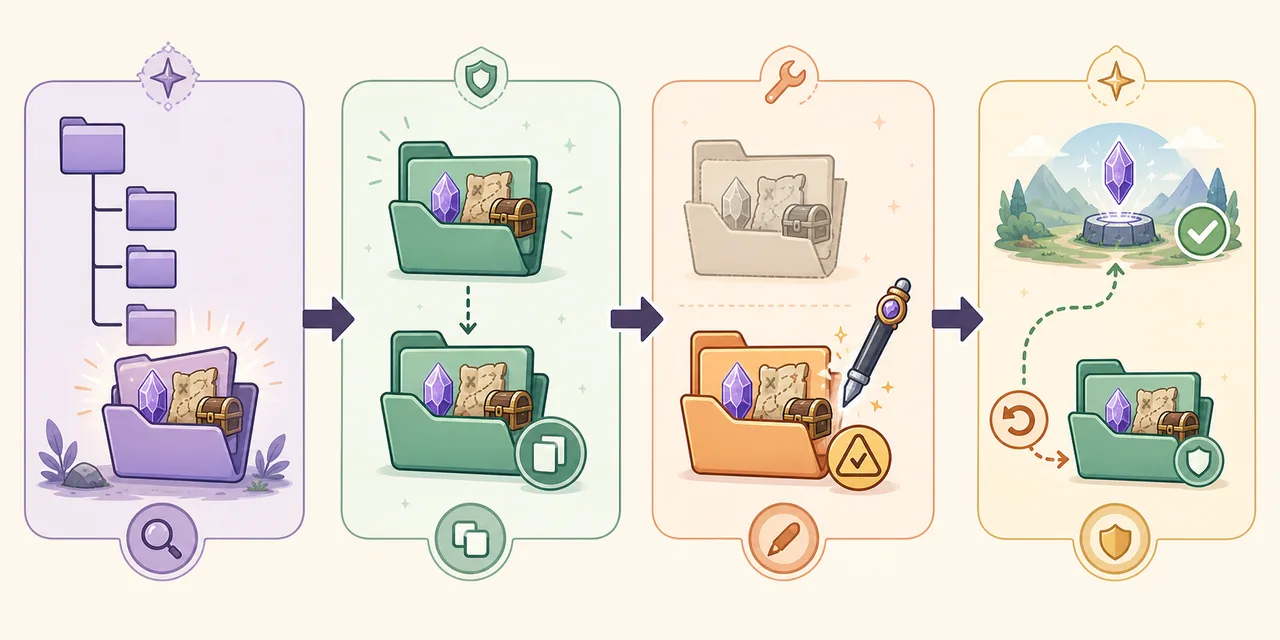
- Stop every writerExit the game or stop the dedicated server normally, then confirm the process has ended.
- Archive the complete worldCopy the full save directory outside the live installation and keep that archive untouched.
- Create a disposable working copyPerform the edit on a second copy and record the tool version and exact fields or operation.
- Replace only the intended test worldKeep file names and directory structure intact; do not combine files from unrelated attempts.
- Run a gameplay acceptance testCheck the affected player, Pals, guild, base, travel and inventory as relevant.
- Save, restart and reconnectA result passes only after it persists through a clean save and full reload.
- Retain the rollback archiveKeep the untouched backup until the edited world has been stable through normal play and another backup cycle.
Palworld save editor FAQ
Is there a safe online Palworld save editor?
This guide does not recommend uploading save files to an unknown online service. Local, source-visible tools let you verify a release and keep private world data on your own computer. If a trusted project later offers a web tool, review its privacy, retention and version details before uploading anything.
Can a save editor move a character to a new dedicated server?
Some tools support player migration or ownership repair, but a complete transfer may involve player, guild, base and world references. Use the tool's current documented operation on a copy and test inventory, Palbox, guild and base permissions after a restart.
Where is Level.sav?
It is inside the selected world's save directory. Local Steam and dedicated-server parents differ, and a world includes LevelMeta.sav plus the Players directory. Back up the complete world folder rather than searching for one file and editing the only copy.
Will a Palworld 1.0 update break an editor?
It can. Save schemas and game behavior may change, and modded worlds add more assumptions. Check the editor release and issue tracker for the current operation, then test a disposable copy even when the application opens the file successfully.
Can I edit a save while the server is running?
No. Stop the server normally and confirm the process has exited. A running server may hold newer data in memory, write during your copy, or overwrite the edited file during shutdown.
What is the fastest rollback method?
Keep a complete untouched archive outside the live directory. Stop the game or server, move the failed test world aside, restore the complete archived folder, and verify the original world before trying a smaller edit on a new copy.
Verified project sources
Release versions, dates, asset names and sizes were read from the projects' official GitHub release metadata on July 30, 2026. Direct links above point to the exact verified assets; these source pages remain the authority for changes after that date.
- Palworld Save Pal v1.2.0 release — cross-platform graphical editor release and assets
- PalworldSaveTools v2.2.7 release — migration and repair utility release and assets
- palworld-save-tools v0.24.0 release — binary/JSON conversion toolkit
- Palworld Pal Editor 0.14.1 release — focused Pal editor release and assets