
Checked Sep 18, 2026
Nexus Mods for Palworld: Download and Install Guide
Nexus Mods for Palworld is a source-and-install question, not a promise that every file works with every game build. Use the original mod page to confirm the package, loader, dependencies and side requirements, then choose Vortex only when the current extension supports that format; otherwise follow the publisher's manual path.
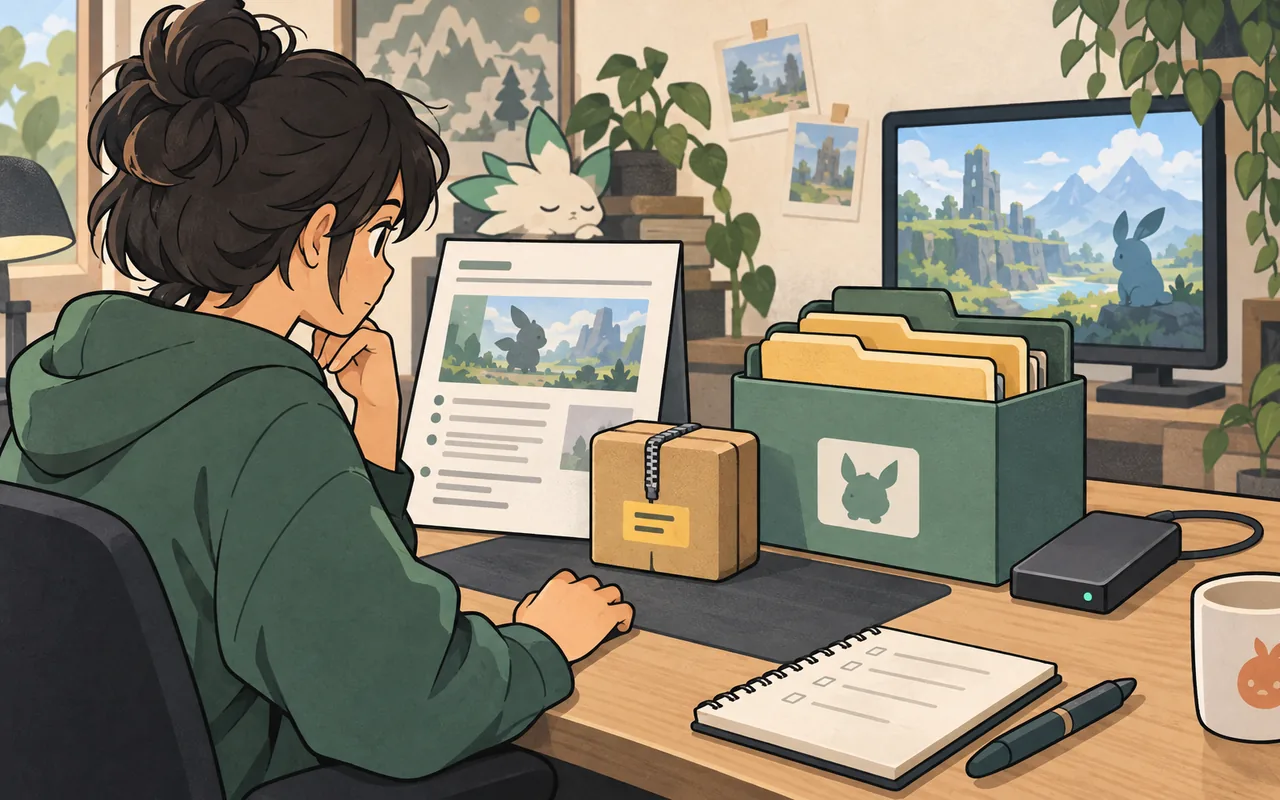
For Nexus Mods Palworld, open the original Nexus Mods page instead of looking for a mirrored archive. Read the description, files, requirements, installation notes and posts, record the game and loader versions, back up the save, and test one package in a disposable world. Vortex can organize supported downloads, but it does not replace manual folder instructions for UE4SS, Pak, LogicMods or other packages. Before multiplayer, confirm whether the mod is client-side, server-side or required on both sides.
Find the original Nexus Mods source first
The useful answer to a Nexus Mods for Palworld search is the original project page, not a re-upload. Nexus is a third-party publishing platform, so the page owner controls the release notes, file names, requirements and support comments. Start at Nexus Mods, search for Palworld, and open the project page that names the mod, author and game. Check that the page is actually for Palworld rather than a similarly named tool, a collection for another game or a generic manager extension.
This site does not mirror Nexus archives or turn a third-party page into an official download. Save the source URL, release name, loader requirement and installation method in your notes. If a page sends you through a login, temporary redirect or unfamiliar mirror, stay on the source page and do not guess a direct file URL.
- Confirm the game name, project author and file section before downloading anything.
Choose Vortex or manual installation by package format
Vortex is useful as an organizing layer when its current Palworld extension supports the Nexus package you selected. It can help group downloads, remember deployment state and remove files that it installed. That convenience does not make every Palworld loader compatible with Vortex. A project that says UE4SS, Pak, LogicMods or another manual layout still needs the publisher's folder rules, even when Vortex is installed on the computer.
Use a manager only for steps it can perform transparently. If importing a file hides the destination, changes the archive structure or overwrites a working loader without a clear record, stop and install manually. A short manifest of the game path, package version, dependencies and enabled files is easier to troubleshoot than a mixed profile.
- Use Vortex only for a format the current extension explicitly supports.
Check Palworld version, loader and multiplayer scope
Before installing, record the game build shown by the source page and compare it with your current Palworld version. Then identify the loader: a Pak mod, UE4SS Lua package, LogicMods project and standalone editor do not share the same startup path. Read every dependency and look for a required order. If the page does not state the loader, destination or supported side, treat the file as unverified and ask the author through the source page rather than improvising.
Client and server labels matter more in a shared world than a manager button. A client-only change may not belong on a dedicated server; a server-side change may require every joining client to use the same package. Test the base world first, then make one change, restart, join again and exercise the feature before adding another file.
- Write down the game build, loader, dependencies and package version before the first test.
Read the files and installation notes before opening the archive
A safe install starts with the file list, not with a double-click. Compare the file name and version to the page's description, inspect the archive structure without moving it into the game directory, and note whether the package contains a mod folder, a Plugins folder, a LogicMods folder, a Lua script or a standalone executable. The destination should come from the source instructions and the established Palworld mod folder guide, never from a generic Windows path copied from another game.
Back up the world, player data and configuration before changing a loader or shared package. Keep the backup outside the live directory and keep the previous archive until the game can save, exit, restart and load again. If the package includes an unexplained DLL, script or executable, pause and investigate instead of disabling security checks.
- Preserve the archive structure and copy only the files the current source instructions name.
- Back up saves and configuration separately from the manager profile or download folder.
- Do not disable antivirus or overwrite a loader just to force an unclear package to start.
Disable, update or roll back one change at a time
When a Nexus mod stops working, first separate the manager from the loader and the package. Disable the newest file, start the base game or server, and check whether the save opens. If the baseline works, restore the loader alone and then the package with its declared dependencies. A crash at startup, a missing feature, a failed world load and a client disconnect are different symptoms; record the first reproducible failure instead of stacking another download on top of it.
For an update, keep the previous release and a dated backup until the new version survives a disposable-world test and a save, restart and reconnect cycle. For removal, follow the uninstall notes and check for leftovers. If a save still expects removed data, restore the known-good backup instead of reopening the damaged world.
- Change one layer per test: source version, loader, package, server setting or save.
- Keep the last known-good release until the new release has passed a complete reload cycle.
- Restore a backup when removal leaves save references; do not repeatedly test on the only copy.
Nexus Mods source checks before installation
Use this compact matrix to decide what to verify on the original page before you choose a manager or copy a file.
| Check | What to do | Evidence to record | Avoid |
|---|---|---|---|
| Project identity | Open the Palworld project page and confirm author and game | Project title, author, source URL | Re-uploaded archives with no publisher context |
| File and release | Match the file name, version and changelog | Release date, package format and notes | Calling an old file current without checking the page |
| Loader and path | Follow the named loader and destination | UE4SS, Pak, LogicMods or manual path | Using a generic manager rule for a manual package |
| Dependencies | Install only declared requirements | Required mods, order and game build | Adding random DLLs to solve a missing dependency |
| Multiplayer side | Test client and server scope | Client, Server or Both wording | Opening a shared save before matching the package set |
Safe Nexus Mods for Palworld install workflow
The sequence is deliberately conservative: it keeps the source, backup, loader and test result separate so one failure has an identifiable cause.
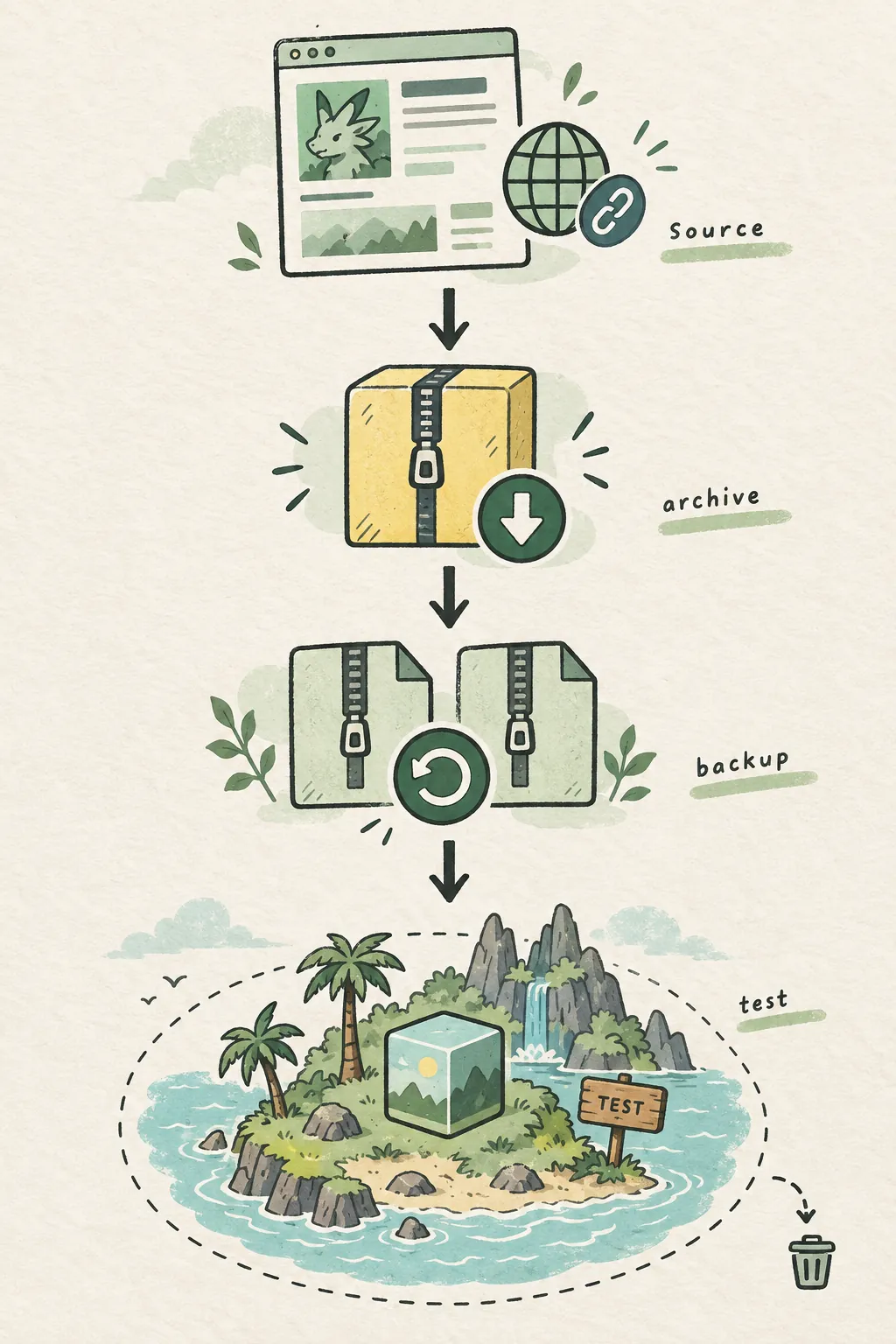
- Define the outcomeWrite the feature you want and decide whether the change is visual, gameplay, client-only, server-only or shared.
- Open the original pageConfirm the Palworld project, author, file version, game build, loader, dependencies and installation notes.
- Choose the deployment pathUse Vortex only for a supported Nexus format; otherwise preserve the archive and follow the named manual folder path.
- Back up the baselineStop the game or server, copy the world, player data and configuration, and record the working package list outside the live folder.
- Install one packageAdd the package and only its declared requirements. Do not combine a second mod or overwrite a working loader during this test.
- Save, restart and reconnectUse a disposable world first, then save, exit, restart and reconnect before treating the Nexus setup as stable.
Confirm client and server boundaries
A successful install on one PC does not prove that a multiplayer world is ready. Coordinate the package, version and loader across the actual test client and host.
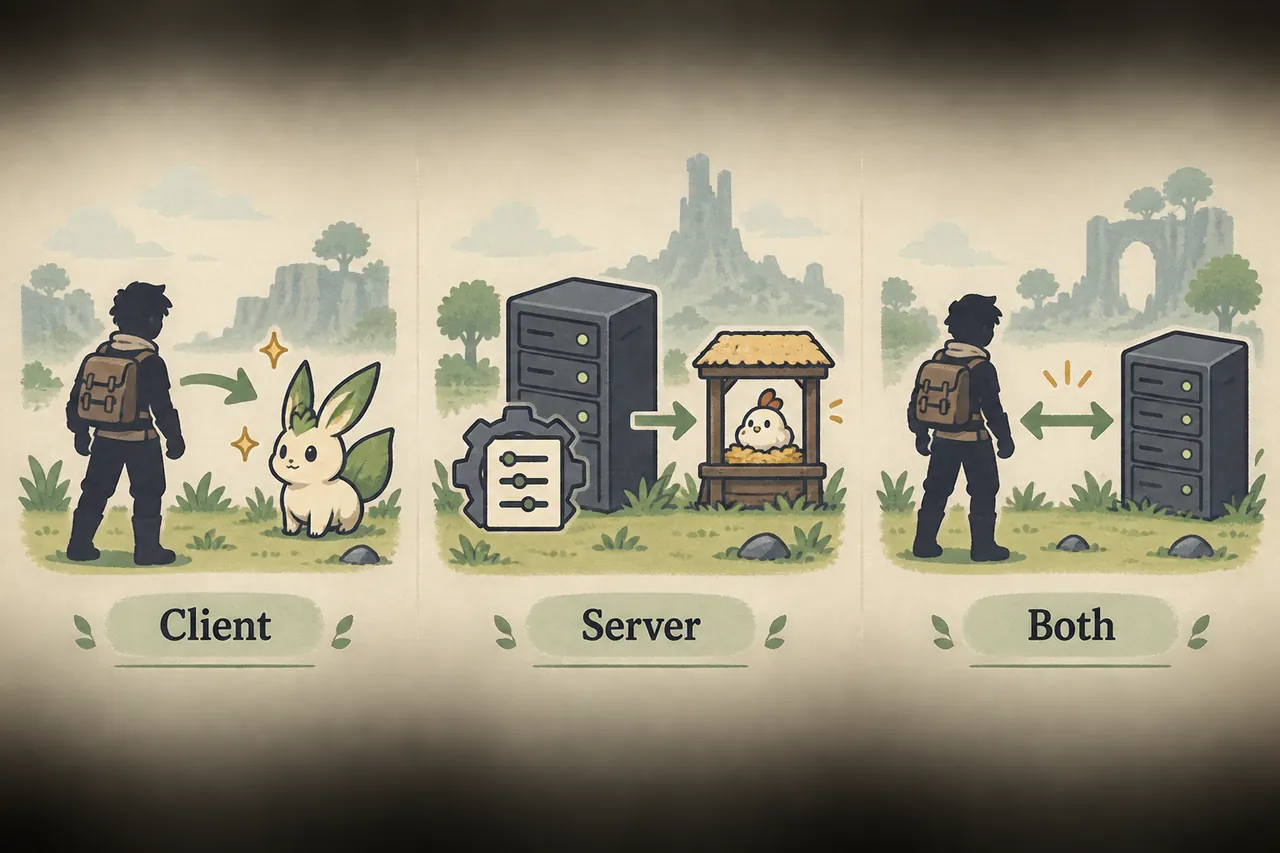
- Use the same game build and the source-listed package version on the test setup.
- Join once before installing so loading, latency and the affected feature have a baseline.
- Stop and restart the server after the change; an open session is not proof of a clean reload.
- Test a shared action such as travel, crafting, inventory or the mod's stated gameplay feature.
- Keep the previous package set and backup until save, restart and reconnect all pass.
Nexus Mods for Palworld FAQ
Where can I find Nexus Mods for Palworld?
Use the Nexus Mods site search and open the original Palworld project page. Check the author, files, requirements and installation notes there. This guide links to sources and does not mirror archives.
Can Vortex install every Palworld Nexus mod?
No. Vortex can organize formats supported by its current Palworld extension, but UE4SS, Pak, LogicMods and other manual packages may still require the publisher's exact folder instructions.
Do I need a Palworld mod manager?
No. A manager is optional. Manual installation is often clearer for packages with a named loader or folder path, provided you keep backups and a small manifest of what changed.
Are Nexus Mods for Palworld safe or official?
A Nexus listing is a third-party source, not a blanket safety or official-status claim. Read the project page, keep security protections enabled and avoid unexplained files or mirrors.
Can a Nexus Palworld mod work in multiplayer?
Only when its source page and test setup support the required client/server scope. Match versions, follow the Client, Server or Both label, restart the host and test with one correctly configured client.
What should I do if a Nexus mod stops working?
Disable the newest package, confirm the base game or server starts, then restore the loader and one dependency at a time. Keep the previous release and restore a backup if the save contains references to the removed mod.
Official and community source references
These links are reference points for finding current source instructions. They are not endorsements of every file, release or compatibility claim on a third-party page.
- Nexus Mods — The original third-party publishing platform and search entry point; checked September 17, 2026.
- Nexus Vortex extension page — Use the current extension page for support notes before importing a Palworld package; checked September 17, 2026.
- Palworld Modding Docs: installing mods — Community documentation for installation concepts and the Workshop path; checked September 17, 2026.
- Palworld Modding Docs: troubleshooting — Reference for separating loader, path and package failures; checked September 17, 2026.
- Palworld Modding Docs: server UE4SS installation — Server-side reference for packages that explicitly require UE4SS; check the live documentation before deployment.